
Find treasure or an ally
Collect the card for its shown rewards. Some RPG finds ask you to catch a moving target; an escape lets you try again. A timing challenge offers bonus coins — skipping or missing it still collects the ordinary reward.
Find printed QR codes around you. Scan them to open cards on your phone, collect treasure and follow the quest. Every trail has its own story — this is how you play yours.
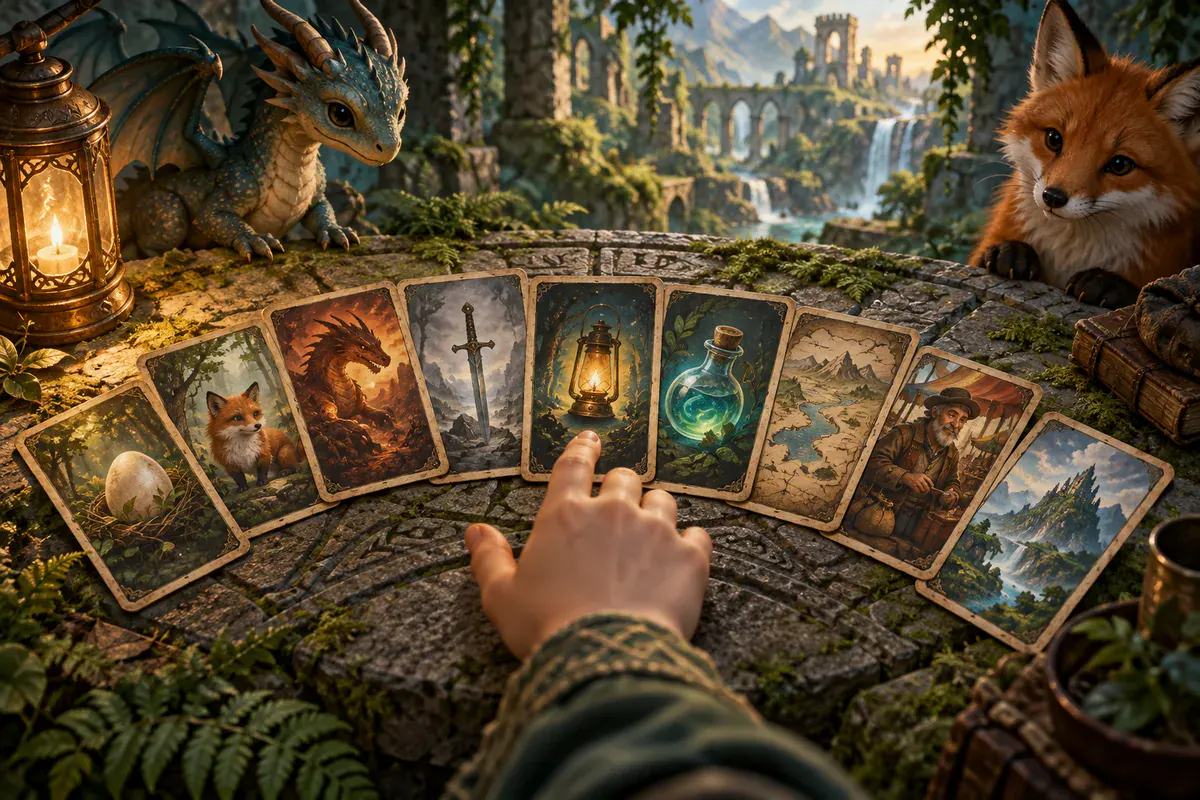
01 / Your first code
Your host places the printed codes around the venue. Each one opens a virtual card on the Eggtrail website. Leave the printed code where it is so the next team can find it.
Open your host's trail link or scan a printed code with your phone's camera and tap the link. A live trail can welcome you straight in as a guest. If a join screen appears, choose a team name. You need no email, password or app to play.
The card shows what you found, what it offers and what you can do next. Read its instructions and any cost before acting. If it shows Hear this card, press play to hear its words read aloud. A scan opens the card; it does not collect it for you.
Use the action on the card to collect, answer, buy or take a challenge. Return to your board to see your rewards and quest progress. Tap Scan in the bar at the bottom of the screen, or use your phone's camera, to keep hunting.
02 / Your home base
Return here between finds. Your team, score and collection belong to this trail. Another trail starts a new adventure.
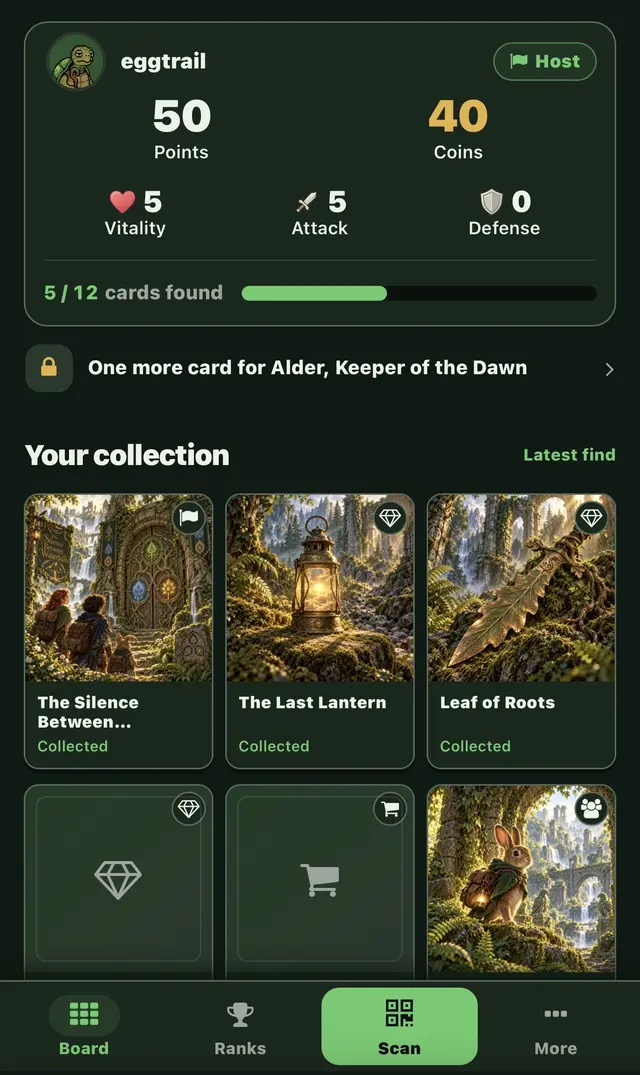
Hunt together: one team shares one phone, one collection and one score. Take turns spotting codes, reading the story and playing the challenges.
03 / Each find has a move
Your story and the host's settings decide which encounters appear. Basic trails focus on finding cards and scoring. RPG trails can add equipment and mini-games. The live card tells you the rules that apply.
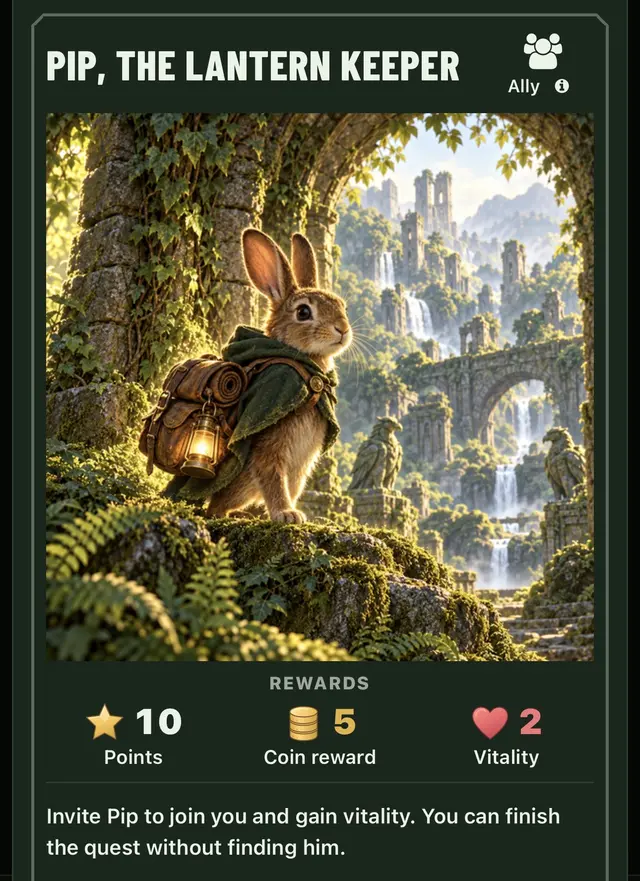
Collect the card for its shown rewards. Some RPG finds ask you to catch a moving target; an escape lets you try again. A timing challenge offers bonus coins — skipping or missing it still collects the ordinary reward.
Read the question and choose an answer. A correct answer earns the card's points and coins. A wrong answer costs coins, earns no points and leaves the question open for another try. Read the stated penalty before answering.
Read the shelf, price and gear gains before buying. Purchases spend coins and award no points. Finding the merchant and buying something from the shelf are separate actions.
Check the coin stakes before choosing. At a trap, try to disarm it or pay the smaller stated cost to step around it; either choice collects the card. A dice roll can win or lose coins. These encounters affect your purse, not your vitality.
Read the next part of the story and use the card's action. These finds can mark progress or unlock a later encounter. Follow any instructions your host has added.
In RPG mode, an enemy starts a duel. Check its requirements and the cost of losing first. Finding better gear can help you win, but you still have to play the fight.
04 / When your trail uses RPG mode
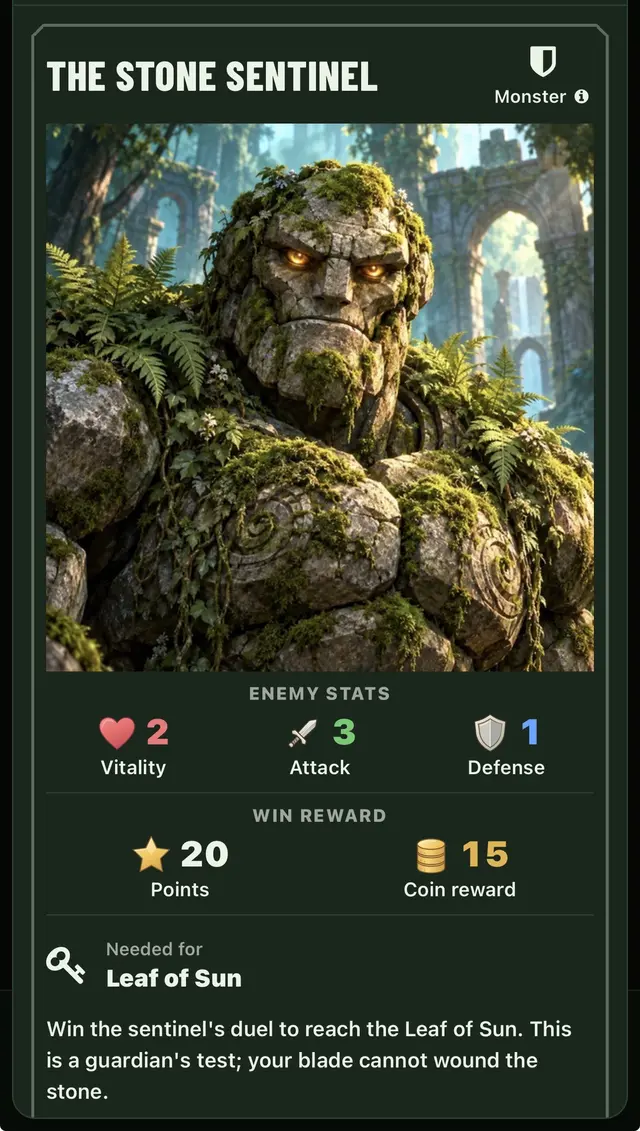
Equipment changes how the duel plays. Check your team's totals and the enemy's stakes before you start. A larger number alone never wins a fight.
 Attack
 Defense
 Vitality
Read the required hits, your guard and the stated cost of losing. Collect any missing quest cards before starting.
Start the duel. Watch the moving marker and the opening, then tap when they line up. With a keyboard, use Enter or Space.
Land enough hits before your guard runs out. Tougher enemies can change direction or move the opening. Take time to read the pattern.
Win to collect the enemy's card, points and coins. A loss can cost coins and vitality; the enemy stays there for another attempt.
If your trail offers roles, read the gear preference and pack size before choosing; the choice lasts for this trail. A full pack can leave new gear unequipped, so check what you are carrying. If the marketplace is open, you can buy and sell eligible cards with other teams. Quest keys cannot be sold, and buying or selling never adds points.
Try a practice duel05 / Know what counts

Successful finds, correct answers and won fights add the card's points to your score once per team. Spending, selling and penalties do not take earned points away. Repeated scans and purchases do not earn extra points.

Use coins for merchant stock, market purchases or a card's stated cost. Rewards add to your purse; purchases and penalties can reduce it. Spending coins keeps your score, but can affect a tie.
The leaderboard ranks highest score first, then most remaining coins, then shortest playing time.
On an RPG trail, defeating the boss completes your team's quest. On a basic trail, collect the core cards named by your objective; optional scarce treasure may remain. Follow the objective on your board for this trail's exact goal.
Quest complete? You can keep collecting and scoring while the trail is open. Beating the boss does not end the trail for everyone. The host can finish the trail; a timed race also ends when its countdown runs out.
06 / Back on the trail
Return to your board and tap an unfound card marked Find its code. If the host added a hint, the card preview tells you where to look. A locked card keeps its hint hidden until you collect the cards it requires. Not every card has a hint, so ask the host if the preview has none.
Give the code some light, keep the whole square in view and hold the phone still. If the in-page scanner asks, allow camera access. You can also use your phone's camera app or the scanner's photo option when available. Check that you are scanning a code from this trail.
Check your mobile data or Wi-Fi, then reload. Open the link in the same browser you used to join, rather than a messaging app's built-in browser. A different browser, cleared cookies or a closed private session can leave you outside your original guest team.
Read the message on the card. You may need earlier cards, enough coins, a role choice, or the host to start the trail. The card may already be collected or have no copies left. A finished trail cannot accept new finds.
Some cards have limited copies shared across teams; check the copies-left line. Leave the printed code in place even if its copies run out. Scanning a card again does not pay its points again, and a card you already hold cannot be collected twice.
Your host may require you to be near a placed code before collecting it. Allow location access and stand near the code. If the phone cannot locate you accurately, try again where it has a clearer signal or ask the host.
The host controls when play opens and ends, and how teams join. Follow the message on the board and check with the host. Scanning more codes does not open a waiting or finished trail, or create a place in a full one.
07 / Behind the printed codes
A story is the adventure and its cards. A trail is your playing of that story, at your place and time. Creating the trail generates its QR codes. Hosting uses an organizer account; players can join as guests.
Choose a library story and create a trail from it. Select basic or RPG play where offered, and choose self-paced or race timing.
Add any hints and answers for your hiding places. Read the cards, check the objective and tell players where the play area ends.
Download the QR PDF, print it, cut out the labels and place them around your venue. Check phone signal and test that each printed code opens its card.
Share the welcome code or trail link, explain how teams will play and start the trail. Use the leaderboard to follow scores, then finish the trail when play is over.
Bring a printer, paper and a way to mount the codes. Players need one phone per team and internet at every code. Keep printed labels in place for every team.
Back to the top ↑